 Automation Flow
Overview
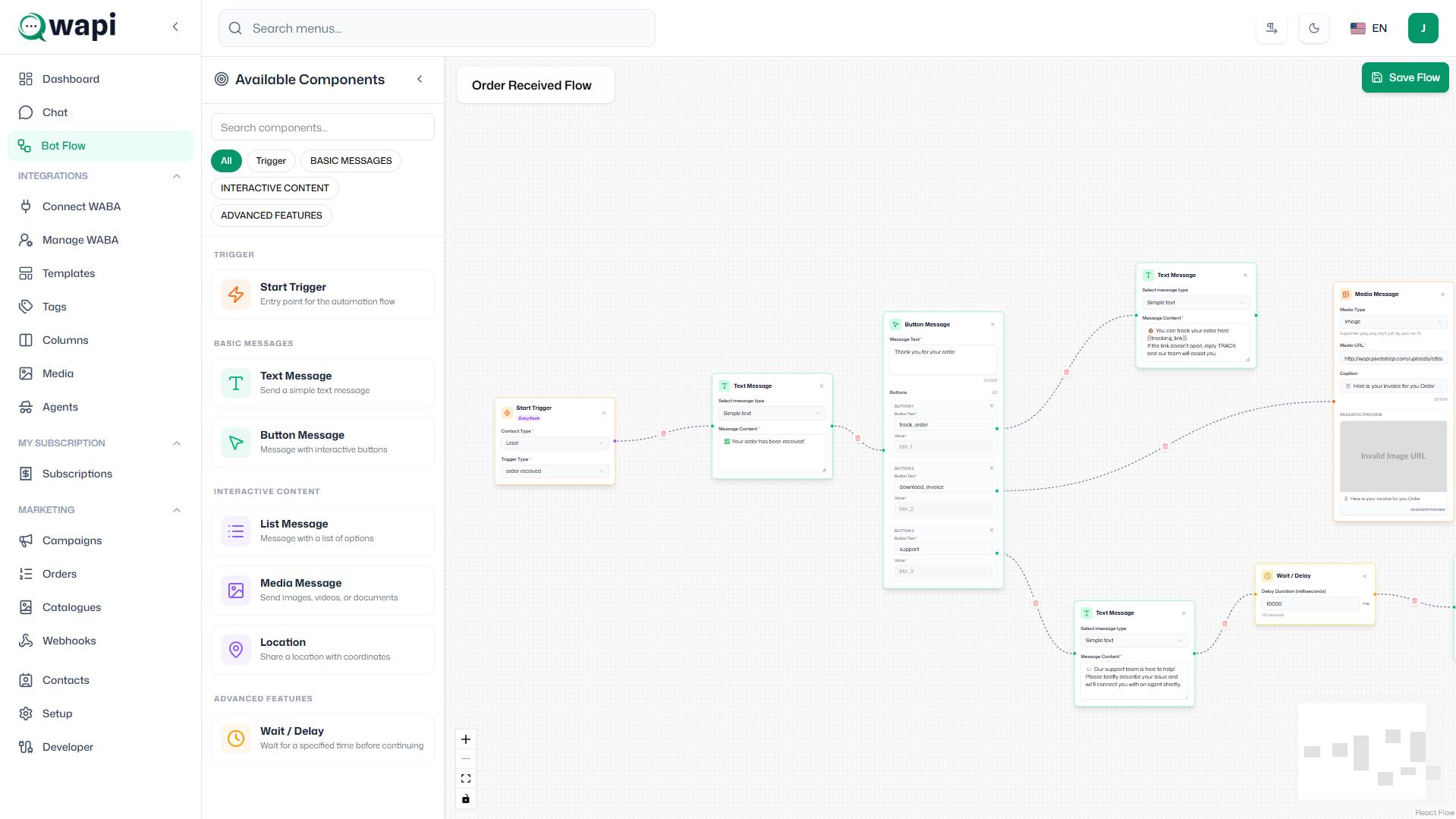
The Automation Flow module provides a visual interface for creating and managing automated workflows. It allows users to build complex automation sequences using drag-and-drop functionality to enhance customer engagement and operational efficiency.
Visual Builder Features
- Drag-and-Drop Interface: Intuitive visual builder for creating automation flows
- Node Types: Various node types including triggers, conditions, actions, and delays
- Keyword-Based Triggers: Set up automation flows triggered by specific keywords, messages, or events
- Conditional Logic: Branch workflows based on conditions using various comparison operators
- Real-time Execution: Execute automation flows in real-time based on incoming events and triggers
Flow Management
- Flow Library: Save and reuse automation flows for different use cases
- Testing Environment: Test flows before activating them in production
- Performance Monitoring: Track flow execution success rates and performance metrics
- Version Control: Maintain different versions of automation flows
- Activation Controls: Enable, disable, or pause flows as needed