 Chat Inbox
Overview
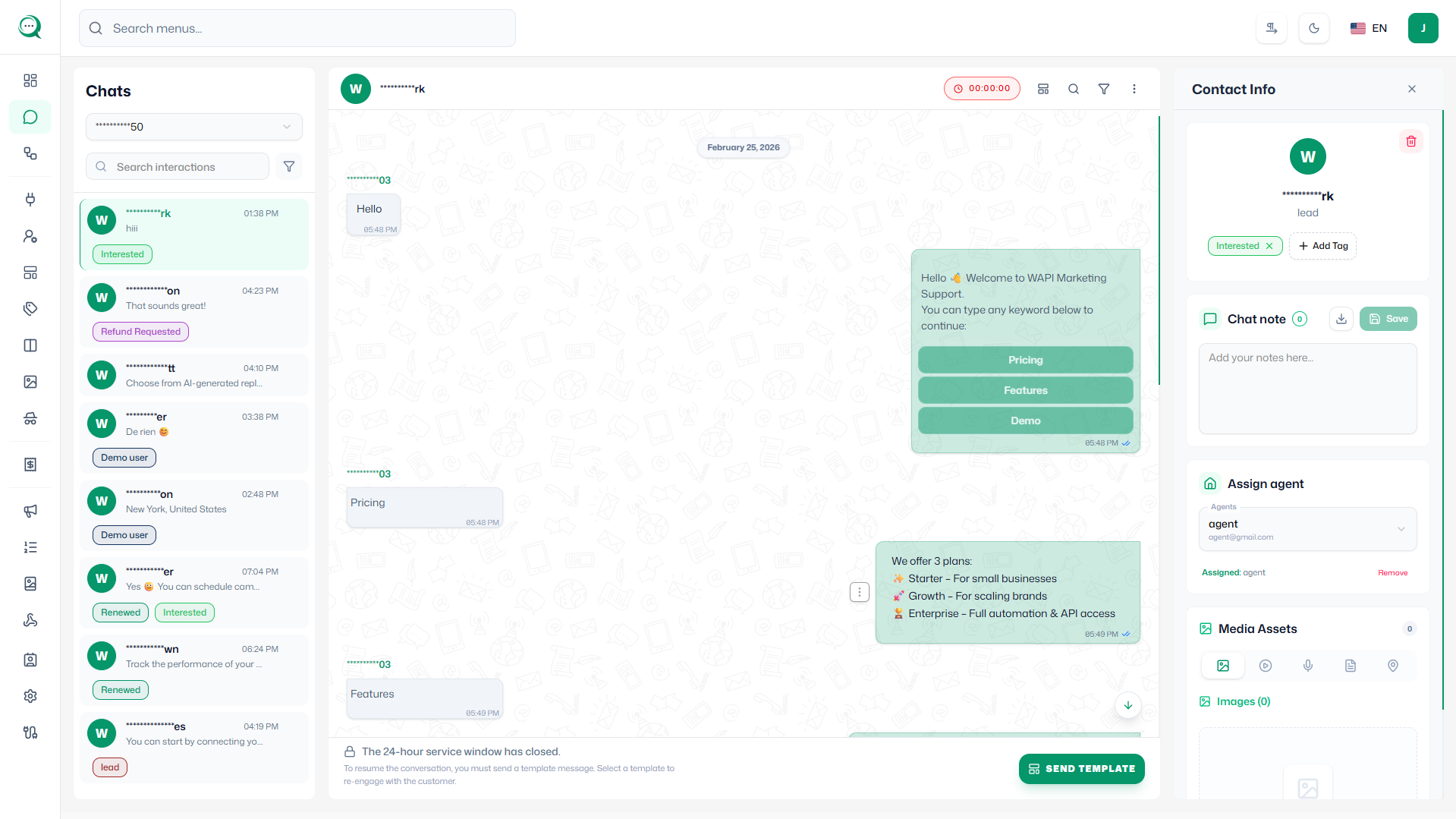
The Chat Inbox provides a centralized messaging hub for managing all customer conversations through WhatsApp. It offers a unified interface to view, respond to, and organize customer interactions efficiently.
Key Features
- Unified Inbox: Manage all WhatsApp conversations from a single dashboard interface
- Conversation Organization: Sort and filter conversations by date, status, or customer
- Quick Reply Templates: Use pre-defined responses for faster customer service
- Message Attachments: Send and receive images, documents, and other media files
- Conversation History: Access complete chat history for context and follow-up
Management Capabilities
- Conversation Tagging: Organize chats with custom tags for easy filtering
- Assign Conversations: Transfer chats to specific team members for specialized handling
- Auto-responses: Set up automated replies for common customer inquiries
- Notification Controls: Manage alerts for new messages and conversation updates
- Search Functionality: Quickly find specific conversations or messages